For Shorts creators
Create reels with templates, reframing, animated captions and a publishing pack.




THE PROBLEMIF THIS SOUNDS LIKE YOU, KEEP READING
- 01
Upload to Submagic, wait, download, tweak in Premiere — every video.
- 02
The first second is everything. If you don't hook there, you lost the view.
- 03
You need 3 versions (Reels, TikTok, Shorts) and each asks for something different.
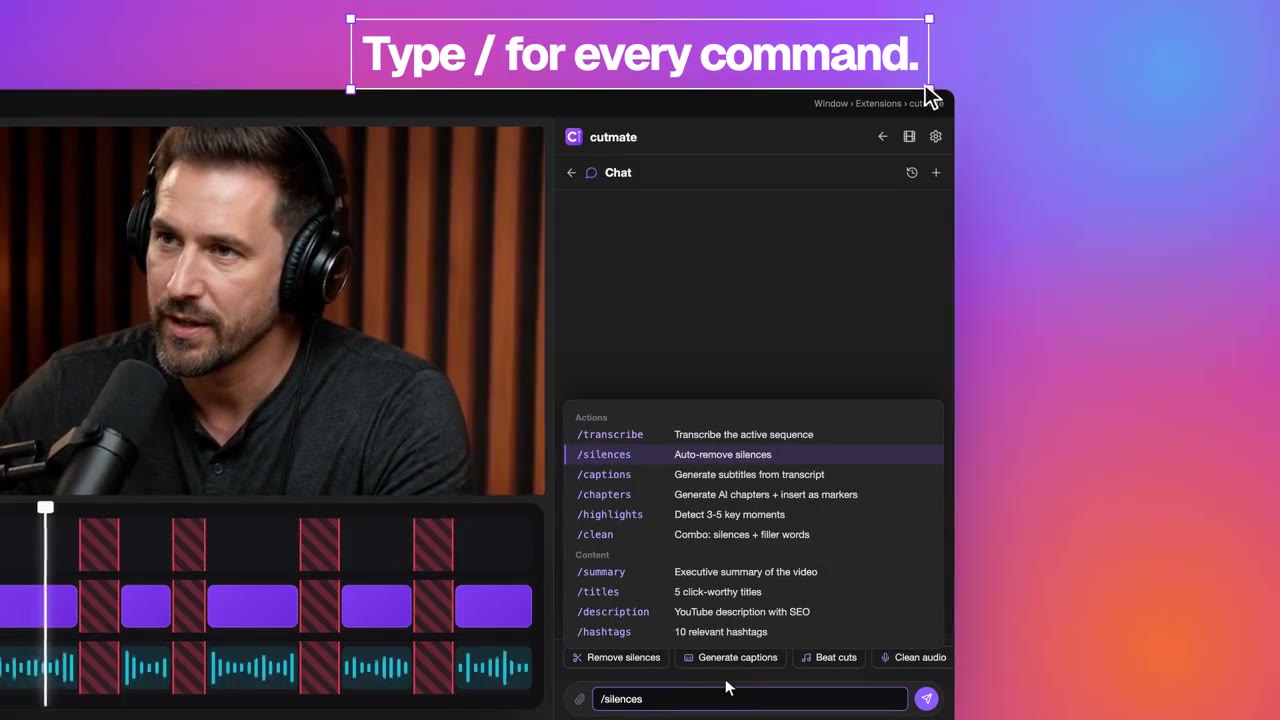
/comandos
Your key tools
The tools to prepare, edit and publish your video.
- chat
Choose a template or request an edit; review the storyboard before assembly.
- /captions
Animated captions, custom styles and translation to 100 languages.
- /formato
Adapt your edit to 9:16, 16:9, 1:1 or 4:5.
- /titles
Generate titles to accompany your reel when publishing.
What a day with cutmate looks like
- 01Prepare your footageOpen your Premiere sequence and choose the reel footage.
- 02Choose a template or describe your ideaSet format and duration; review and adjust the storyboard.
- 03Refine the editRequest cuts, captions, music or graphics and review the result in Premiere.
- 04Prepare to publishGenerate a title, description and hashtags; review and export the video.
Try it on your next project
First month on Pro for $2.99 USD ($54 MXN in Mexico). Cancel anytime.